
Geometry Dash Breeze - Why This Scratch-Based Rhythm Platformer Beats Most Official Releases
Master Geometry Dash Breeze, the fan-made rhythm platformer that challenges your reflexes across three sky-themed levels. Play instantly in your browser with zero downloads, perfect music sync, and addictive gameplay that transforms every death into a learning opportunity.
Please wait a moment for the Geometry Dash Breeze game to load after clicking "Play Now" button.
Play Geometry Dash Breeze in Browser Online
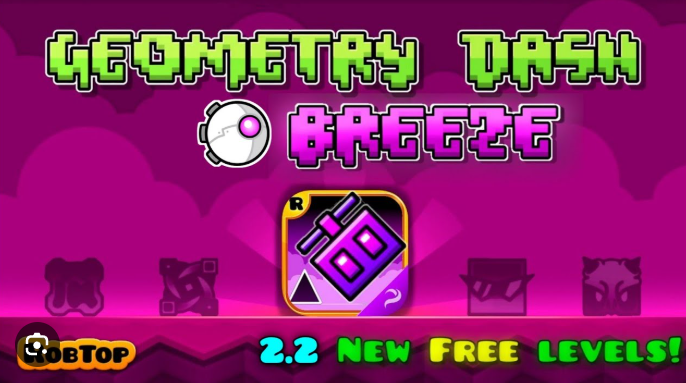


Recommended Games
View all
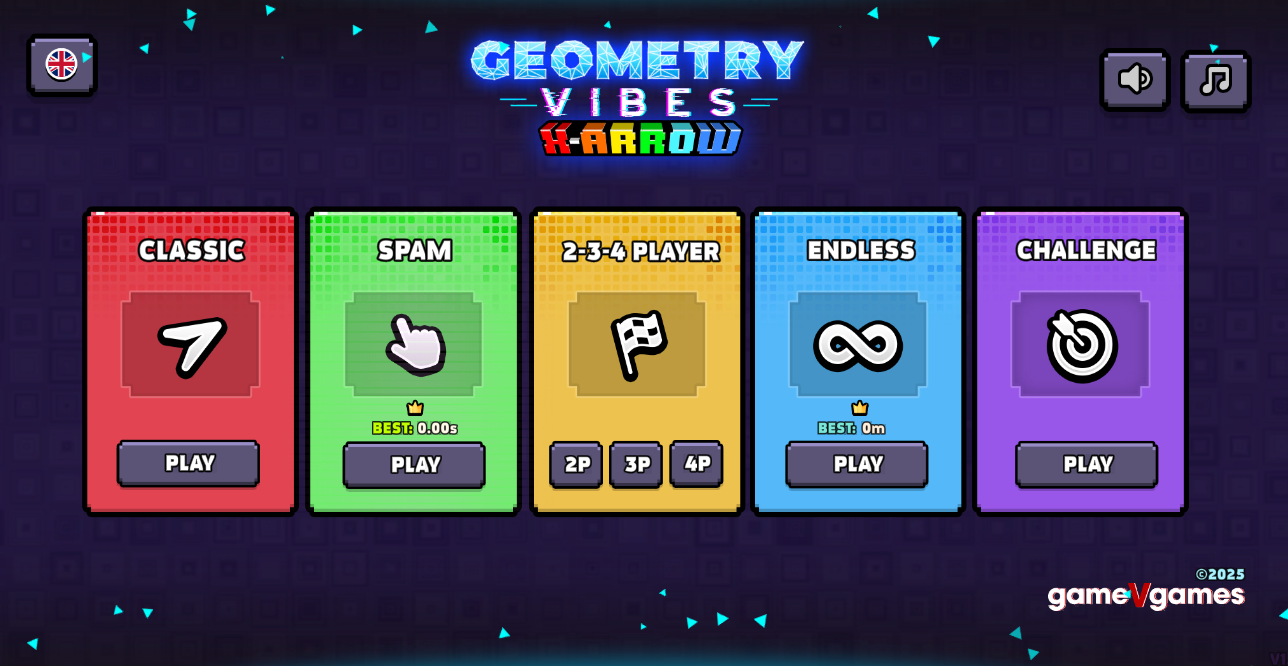

Geometry Dash Breeze absolutely deserves your attention, especially if you’re craving a rhythm-based platformer that respects your time while still pushing your skills to the limit.
Created by developer Andrexel on the Scratch platform, Geometry Dash Breeze has carved out its own identity in a genre dominated by RobTop’s official titles. What sets this fan-made mod apart isn’t just its accessibility—though being able to play directly in your browser without downloads is a huge plus—but its commitment to delivering a refined, focused experience that cuts straight to what makes rhythm platformers addictive.
Here’s what makes this game stand out:
- Three meticulously designed levels that each introduce distinct mechanics (Cube, Ball, and Ship forms) without overwhelming newcomers
- Sky-themed aesthetics featuring lighter color palettes and vibrant neons that break away from the typical dark, oppressive visuals
- Zero-lag performance optimized for web browsers, making it perfect for quick sessions during breaks
- Music-driven gameplay where every obstacle syncs perfectly with the beat, turning sound into your secret weapon
The beauty of Geometry Dash Breeze lies in its respect for player progression. “Over the Clouds” teaches you the fundamentals, “Into the Zone” tests your adaptability with gravity flips, and “Ghost Ship” becomes your final exam—a claustrophobic gauntlet that separates casual players from rhythm game masters. Each failed attempt teaches you something new, and the instant restart system keeps frustration at bay while maintaining that “just one more try” momentum.
Introduction to Geometry Dash Breeze Game
Geometry Dash Breeze is a fan-made rhythm game that will push your skills to the limit. We’re talking about a title created by Andrexel on the Scratch platform, and it’s become a massive hit among players who crave precision-based challenges. Unlike the official RobTop releases, this version brings something fresh to the table: a lighter, more vibrant visual approach that feels like a breath of fresh air. The game features soft blues, clean whites, and neon accents that make every obstacle stand out clearly against the backdrop.
What makes this mod special isn’t just the aesthetic choices. It’s the way every element syncs perfectly with the soundtrack. When you’re jumping over spikes or flipping gravity, you’re not just reacting to what you see on screen. You’re feeling the rhythm, letting the beat guide your fingers to click at exactly the right moment. This creates a flow state that’s hard to find in other platformers.
We’ve found that Geometry Dash Breeze runs smoothly on almost any device with a web browser. There’s no need to download massive files or worry about system specs. You simply open your browser, navigate to the game, and you’re ready to play within seconds. This makes it perfect for quick sessions during lunch breaks or between classes. The game bypasses most network filters, which means you can enjoy it even in restricted environments like schools or offices.
The three-level structure keeps things focused and intense. Each stage teaches you a specific mechanic before testing your mastery of it. You’ll start with basic jumps, move on to gravity-flipping challenges, and eventually face the notorious ship sections that demand pixel-perfect precision. The difficulty curve feels natural, never throwing you into the deep end without proper preparation.
Features of Geometry Dash Breeze
When you first launch the game, you’ll notice how clean everything looks. There’s no clutter, no confusing menus, just a simple interface that gets you into the action fast. The main screen shows your level options, and with one click, you’re off to the races. This streamlined approach is exactly what we need in a rhythm-based platformer where every second counts.
The visual design deserves special attention. Instead of the dark, gritty aesthetic found in many similar titles, Geometry Dash Breeze opts for an airy theme that lives up to its name. The color palette features:
- Soft sky blues that create a calming backdrop
- Bright whites that make platforms easy to spot
- Vibrant neon highlights that draw your eye to important elements
- Subtle gradients that add depth without causing distraction
These choices aren’t just about looking pretty. They serve a practical purpose by making hazards immediately visible. When a spike appears on screen, you’ll see it instantly thanks to the high contrast between objects and backgrounds. This clarity is crucial when you’re moving at high speeds and have milliseconds to react.
The music integration sets this game apart from countless other mods. Every jump pad, every gravity switch, every obstacle placement matches the beat perfectly. If you close your eyes and just listen, you can actually predict when to click based on the rhythm alone. This sync-based design transforms the gameplay from a simple reaction test into a musical performance. You’re not just playing a game; you’re conducting a symphony of jumps and flips.
Performance optimization is another standout feature. We’ve tested Geometry Dash Breeze on older laptops, budget Chromebooks, and even tablets, and it runs without lag on all of them. The frame rate stays consistent, which is absolutely critical for a game where timing matters this much. A single dropped frame can mean the difference between clearing a section and crashing into a spike.
The instant restart system is pure genius. When you die (and you will die often), there’s no waiting around. No loading screens, no fade-to-black animations, just an immediate reset to the start of the level. This keeps you in the zone, maintaining your focus and rhythm even after failures. You can attempt a section dozens of times in just a few minutes, which accelerates your learning curve dramatically.
How to Play Geometry Dash Breeze
Getting started with this game is simple, but mastering it takes real dedication. Here’s what you need to know about the core mechanics:
Basic Controls
The control scheme is designed for keyboard and mouse users, though you can also use a touchscreen if you’re on a mobile device. The primary actions are:
- Jump/Click: Press spacebar, left mouse button, or up arrow
- Hold to Fly: Keep spacebar or mouse button pressed when in ship mode
- Gravity Flip: Tap spacebar or click when in ball form
- Quick Restart: Hit the green flag or press R key
Understanding Game Forms
You’ll control different shapes throughout the levels, each with unique physics:
Cube Form: This is your standard character. You jump when you click, and gravity pulls you down immediately after. The height of your jump is fixed, so timing is everything. You can’t control how high you go, only when you leave the ground.
Ball Form: This one messes with your brain at first. Instead of jumping, clicking flips gravity entirely. You’ll find yourself on the ceiling, then back on the floor, switching constantly. The trick is to click just before you hit a surface, not when you’re already touching it.
Ship Form: Here’s where things get intense. Holding the button makes you fly upward, releasing makes you drop. You need to tap rhythmically to maintain the right altitude through narrow corridors. Overcorrect and you’ll crash into the ceiling; hesitate and you’ll hit the floor.
UFO Form: This combines elements of the cube and ship. Each click gives you a small upward boost, but you fall faster than the cube. It requires rapid, precise tapping to navigate through tight spaces.
Reading the Level
Pay attention to visual cues that telegraph what’s coming:
- Yellow pads launch you automatically when touched
- Blue pads launch you higher than yellow ones
- Portals change your form or flip gravity
- Orbs require a click to activate their effect
The music provides the most important cues. Listen for drum hits, bass drops, and cymbal crashes. These audio markers almost always coincide with obstacles or required actions. Once you internalize the soundtrack, you’ll start clicking on instinct rather than visual reaction alone.
Level Breakdown and Gameplay Mechanics
Level 1: Over the Clouds
This opening stage serves as your training ground. The visual theme features fluffy cloud platforms and a bright, cheerful color scheme. The music is upbeat and energetic, setting a positive tone for your journey.
Key Mechanics Introduced:
- Basic cube jumping over single spikes
- Yellow jump pad timing
- Simple platform sequences
- Introduction to the rhythm-sync concept
The difficulty sits at Normal to Hard range. You’ll die a few times while learning the timing, but it’s forgiving enough that most players can clear it within 20-30 attempts. The level teaches you to trust the rhythm and not panic when obstacles appear suddenly.
Level 2: Into the Zone
Things escalate quickly in the second stage. The color palette shifts to darker blues and purples with neon pink and green accents. The music tempo increases, and the obstacle density ramps up significantly.
Key Mechanics Introduced:
- Ball form gravity flipping
- Faster cube sections with tighter timing windows
- Combination sequences that mix forms
- Speed portals that increase your velocity
This level sits firmly in the Harder category. The transition between cube and ball forms trips up many players at first. Your muscle memory wants to jump when you see a spike, but in ball form, that’s exactly wrong. You need to flip gravity instead. This mental shift takes practice to master.
Level 3: Ghost Ship
Welcome to the nightmare section. The visual design becomes claustrophobic, with narrow corridors and a spooky atmosphere. The music takes on an ominous tone, building tension with every measure.
Key Mechanics Introduced:
- Extended ship flying sections
- Invisible gravity portals
- Extremely tight spaces requiring pixel-perfect control
- Rapid form changes with no warning
The difficulty rating is Insane, and it’s well-deserved. The ship sections demand constant micro-adjustments. You’ll need to tap the button in rapid succession, making tiny altitude corrections to thread through gaps that seem impossibly small. The invisible portals flip you upside-down without warning, forcing you to react instantly or crash.
We’ve seen experienced players spend hours on this level alone. The satisfaction of finally clearing it, though, is absolutely worth the struggle. When you nail that final ship section and cross the finish line, the rush is incredible.
Why You Should Play Geometry Dash Breeze Unblocked
There are tons of rhythm games available online, so why should you invest your time in this particular title? Let me break down the compelling reasons.
Accessibility Without Compromise
The biggest advantage is how easy it is to access. You don’t need to go through lengthy install processes or worry about system requirements. Just open your browser, find the game, and you’re playing within seconds. This convenience is huge for students who want to squeeze in a quick session between classes or workers looking for a brief mental break.
The game runs on HTML5 and Scratch technology, which means it typically bypasses the filters that block major gaming platforms. We’re not encouraging you to play when you should be working, but if you have legitimate free time at school or the office, this game will likely be accessible when others aren’t.
Zero Financial Barrier
Geometry Dash Breeze is completely free. There are no hidden costs, no premium versions, no ads interrupting your gameplay. You get the full experience without spending a single cent. In an era where many games nickel-and-dime you with microtransactions, this feels refreshing and honest.
Perfect Challenge Balance
Many rhythm platformers fall into two traps: they’re either too easy and become boring quickly, or they’re unfairly difficult and frustrate players into quitting. This game avoids both extremes. The three-level structure provides a natural progression that teaches skills gradually.
You’ll struggle, absolutely. But the struggles feel fair. When you die, it’s because you clicked too early or too late, not because the game threw some cheap trick at you. This fairness keeps you coming back, determined to improve rather than feeling cheated.
High Replay Value
Even after beating all three levels, you’ll find reasons to return. Some players chase faster completion times, trying to shave seconds off their runs. Others come back simply to enjoy the music and the flow state that comes with perfect execution. The instant restart system makes it easy to jump in for just a few attempts whenever you have a spare moment.
Skill Development
Playing this game actually improves your reaction time and rhythm sense. The skills you develop here transfer to other games and even real-world activities. You’ll find your hand-eye coordination improving, your ability to process visual information faster, and your sense of musical timing becoming more refined.
Features of Geometry Dash Breeze
Visual Design Philosophy
The “breezy” aesthetic isn’t just a gimmick. It represents a thoughtful design choice that enhances playability:
- Light color schemes reduce eye strain during long sessions
- High contrast between elements ensures clarity
- Smooth animations maintain visual flow without jarring transitions
- Minimalist backgrounds keep your focus on the action
Audio-Visual Synchronization
The sync between music and gameplay reaches near-perfection. Every element on screen moves to the beat:
- Obstacles appear on downbeats
- Jump pads activate on accents
- Form changes happen during transitions
- Speed changes match tempo shifts
This synchronization creates a meditative quality once you get into the groove. Your conscious mind stops trying to react to individual obstacles, and your subconscious takes over, clicking in rhythm with the music.
Master the Controls for Geometry Dash Breeze PC
| Action | Input | Form | Effect |
|---|---|---|---|
| Jump | Spacebar / Click / Up Arrow | Cube | Fixed height jump |
| Fly Up | Hold Spacebar / Click | Ship | Continuous upward movement |
| Flip Gravity | Spacebar / Click | Ball | Switch floor/ceiling |
| Boost | Spacebar / Click | UFO | Small upward hop |
| Pause | P Key | Any | Freeze game state |
| Restart | R Key / Green Flag | Any | Return to start |
Developing Muscle Memory
The key to success isn’t just knowing what buttons to press. It’s training your fingers to react without conscious thought. Here’s how we recommend building that muscle memory:
Practice Mode Approach: Focus on one difficult section at a time. Don’t try to complete the whole level repeatedly. Instead, identify the part that’s killing you most often and drill it until it becomes automatic.
Rhythm Training: Play with your eyes closed for short sections. This forces you to rely on audio cues rather than visual reaction. You’ll be surprised how much the music tells you about what’s coming.
Consistent Input Method: Pick one input method (keyboard, mouse, or touchscreen) and stick with it. Switching between methods confuses your muscle memory and slows your progress.
Warm-Up Routine: Before attempting the harder levels, spend a few minutes on Level 1. This gets your fingers warmed up and your brain in rhythm mode.
Advanced Techniques
Once you’ve mastered the basics, try these advanced strategies:
Anticipatory Clicking: Instead of reacting to obstacles, learn to click slightly before you see them based on the music. This gives you better timing since you eliminate reaction delay.
Micro-Adjustments: In ship sections, use very light taps rather than holding the button. This gives you finer control over your altitude.
Rhythm Counting: Mentally count the beat (1-2-3-4) and learn which counts require actions. This creates a predictable pattern you can memorize.
Similar Games
Final Words
Geometry Dash Breeze stands as proof that fan-made projects can rival official releases when passion meets precision. Andrexel’s Scratch-based creation delivers exactly what rhythm platformer enthusiasts crave: tight controls, perfect audio-visual harmony, and a difficulty curve that teaches rather than punishes.
The three-level structure—from the approachable “Over the Clouds” through the mind-bending “Into the Zone” to the brutal “Ghost Ship”—creates a masterclass in game design that respects your intelligence while testing your reflexes.
What separates this mod from countless imitators? Accessibility without compromise. You’re playing within seconds, no downloads required, running flawlessly on hardware that would choke on most modern games. The sky-themed aesthetics aren’t just visually appealing—they serve a functional purpose, making hazards instantly readable against clean backgrounds. Every spike, every gravity flip, every ship corridor syncs to the beat so perfectly that your ears become as important as your eyes.
The instant restart system transforms failure from frustration into fuel. Each death teaches you something new, and within moments you’re back in action, applying that knowledge. This creates an addictive loop where “just one more attempt” turns into an hour of focused practice.
New Games
View all
Stack Rush
Stickman War
Slope Rider 3D
Arcade Tennis
Sausage Run
Escape Tsunami For Brainrots
Perfect Orbit
Zombie Invasion
Jelly Runner
Jamir IO

Tap Rich Idle
Chimney Express
Hexa Go
Swords And Souls
Obby Roads
Poxel.io

Hyper Tunnel
Orbit Kick
Rocket Fortress
Brawl Simulator 3D
Car Chaos
Sprunki Hyper Shifted Phase 3 Orens Massacre
DTA 9 Miami

Tiny Arena
Climb It Up
Sprunki Phase 3 Jedis Version

Steal Brainrot Duel

Dig Out Of Prison
Wheelie Master
Soflo Wheelie Life
Squadblast
Sprunki AntiShifted Phase 4 But Swapped
Pew Pew Dose
Slide Down
Previous
Stickman War
Next
Sprunki Reversed Phase 4 Aftermath
Discuss Geometry Dash Breeze