
Colorcrunch V1 Red - Horror Music Mod That Turns Incredibox Into a Glitchy Nightmare
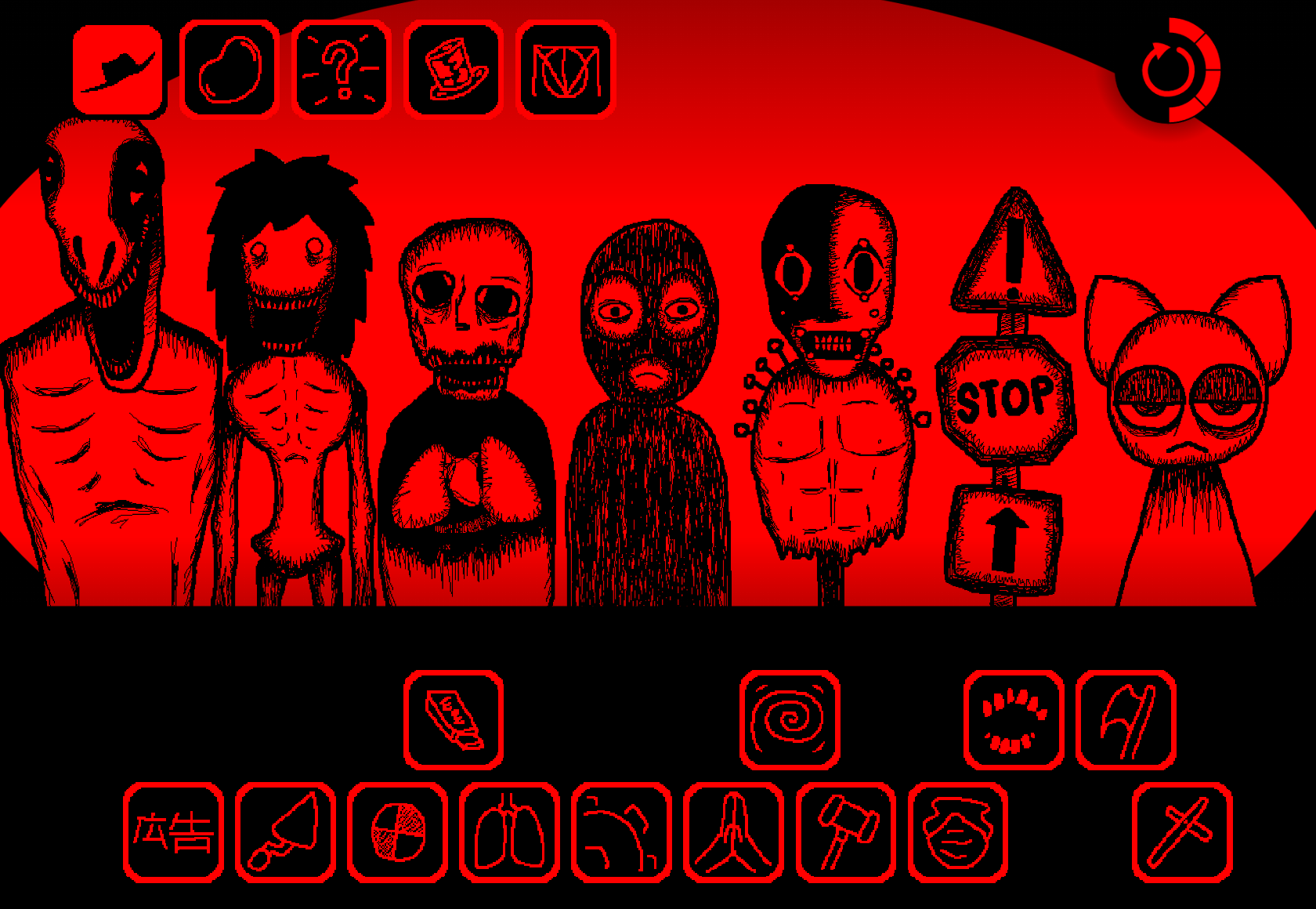
Colorcrunch V1 Red transforms Incredibox into a horror soundscape where distorted vocals, glitchy beats, and crimson visuals create unsettling music through character-based layering. Created by @TrashPanda64, this mod challenges players to build tension-filled tracks that feel more like corrupted digital nightmares than polished compositions. Experiment with sparse arrangements and warped sound loops to craft your own blood-red audio horror experience.
Please wait a moment for the Colorcrunch V1 Red game to load after clicking "Play Now" button.
Play Colorcrunch V1 Red in Browser Online
Recommended Games
View all
Sprunki Sprunkswap
Sprunki Phase 10 Jevins Last Stand
Sprunki Twirl Shifted Remastered
Sprunki Sprunktuber Japanese
Sprunki Phase3 An Endless Hell
Ay In Tick Drop Sprunkie But Every Sprunki Are K111Ers
Sprunki 9 Shifted Player Baldis Take
Sprunki 5 Shifted Finalized
Sprunki Spi Shifted Remastered
Sprunki Phase 3 The End
Ay In Color Sprunki Edition
Ay In Tick Drop Sprunkies But Mr Sun And Mr Tree Is Sick
Sprunki Reverse Shifted Phase 4
Sprunki Hdpe Shifted Chapter 1 Time Two Go Green
Sprunki Heptashifted Conizs Chornology
Sprunki The Definitive Phase 12 Esbs Take Deluxe Edition
Sprunki Voided Phase 6 Stargazing
Sprunki But Heptashifted Conizs Chornology
Colorcrunch V1 Red is a horror-themed Incredibox mod created by @TrashPanda64 that layers character-based sound loops into custom music tracks.
This article covers how the mod works, what makes its horror aesthetic distinct from standard Incredibox versions, and where you can play it. You’ll also find breakdowns of the Red version’s unique sound palette, visual design choices, and how the character system builds tension through audio layering.
The focus stays on practical details—what Colorcrunch V1 Red delivers as a playable experience, how its mechanics differ from other mods, and what to expect when you launch it.
What Is Colorcrunch V1 Red?
Colorcrunch V1 Red is a custom Incredibox-style mod by @TrashPanda64 that uses character-based sound layering to create a horror-focused music experience. You drag sound icons onto on-screen performers to build a track, with each activated character adding a loop. The interface uses familiar drag-and-drop mechanics, but the goal is not a polished, upbeat mix—it’s corrupted audio and unsettling atmosphere.
The Red version centers on distorted vocal fragments, glitchy percussion, warped textures, and oppressive drones. The crimson-and-black visuals and off-kilter character designs reinforce the damaged digital aesthetic: activating a harsh loop changes both the Mix and the scene unfolding on screen. Successful arrangements often feel sparse and unstable—a soundtrack for a red-tinted nightmare rather than a conventional dance track.
Features of Colorcrunch V1 Red
-
Blood-red visual identity: The Red-and-black palette replaces brighter music-game visuals with a severe, corrupted look. Character designs and animations reinforce the audio tension.
-
Glitchy, vocal-driven sound layers: Distorted vocals, fractured percussion, eerie melodic fragments, and dark drones give each loop a different role. Some create a recognizable pulse; others exist to make the track feel heavier or more unstable.
-
Classic icon placement: Drag an icon onto a character to activate its part. The system is accessible, though balancing the layers takes experimentation.
-
Visual cues for sound roles: Color coding and character presentation help identify melody, vocal, rhythm, or ambient roles before the Mix becomes too dense.
-
Activation animations with narrative weight: Each performer reacts when engaged, making the composition feel like it’s revealing a corrupted story one layer at a time.
How to Play Colorcrunch V1 Red
To Play Colorcrunch V1 Red, start with one or two icons rather than activating the entire lineup at once. Listen to how each character changes the soundscape, then build gradually. Strong loops can easily overpower quieter details, particularly distorted vocals and abrasive percussion.
A useful order:
- Create a foundation. Start with a low drone, sparse beat, or restrained background layer that gives the track a pulse without crowding it.
- Add a vocal or melodic fragment. Warped vocal loops carry much of Colorcrunch’s cryptic atmosphere, but several at once may obscure one another.
- Introduce glitch percussion selectively. Use sharper sounds to interrupt the arrangement or increase tension instead of treating them as constant rhythm.
- Watch the characters as you listen. Their activated animations provide visual feedback and help distinguish the parts currently shaping the scene.
- Remove, mute, and swap freely. If a dominant loop turns the Mix into a wall of noise, take it out and test a different combination.
The most effective Red arrangements leave room around their harshest elements, allowing an unsettling loop to repeat before a discordant sound breaks the pattern.
Colorcrunch V1 Red Guide: How to Mix the Creepiest Glitch Beats
The Creepiest Colorcrunch mixes use restraint. Start with an uneasy ambient layer or minimal rhythm, then add a distorted voice, broken percussion hit, or abrasive effect only when the track needs pressure. This creates contrast: a quiet, lingering drone becomes more unsettling when interrupted by a sudden damaged-sounding loop.
Think of the audio stack in terms of roles:
- Foundation layers establish pulse, atmosphere, or low-frequency weight.
- Vocal and melodic layers provide the most recognizable fragments and much of the mod’s cryptic personality.
- Glitch and percussion layers create disruption, aggression, and rhythmic instability.
- Heavy ambient effects depen the red-and-black horror mood but can quickly bury subtler parts.
When a combination sounds clutered, test a dominant sound by itself, then place quieter layers around it. In Colorcrunch, tension often comes from what is absent as much as from what is active.
Related Games
- Sprunki But They Are Changing Color — This Sprunki variation extends the icon-based music-mixing format with shifting color presentation, making it a natural follow-up for players interested in Colorcrunch V1 Red’s visual-and-audio experimentation.
- Incredibox Sprunki Remastered Cancelled Build — Its Incredibox-style character layering offers another way to explore custom vocal, beat, and melody combinations after experimenting with Colorcrunch’s distorted red-themed loops.
- Dark Deception — Players drawn to the mod’s ominous red palette, hidden-story feeling, and escalating digital dread may appreciate this horror game’s tense maze exploration and sinister atmosphere.
Why Players Return to the Red Mod
Colorcrunch V1 Red appeals to Players who enjoy darker fan-made music projects and prefer experimentation over polished beat-making. The familiar drag-and-drop format remains approachable, while the distorted audio and visual corruption make each combination feel less predictable than a standard upbeat soundboard.
The experience also invites interpretation. Vocal fragments, character animations, and background textures suggest a larger story without explaining it directly. A strange combination may sound intentionally uncomfortable rather than conventionally musical, and that ambiguity is central to the mod’s identity.
New Games
View all
Tiny Arena

Snow Rider 2
Sprunki 5 Shifted Reborn
Sprunki Phase 8 Remastered

Four In A Row
Sprunki Phase 3 The Gore Cackles
Dashmetry Winter
Sprunki Tri Shifted But Original Phase 4
City Brawl
Blue Hedgehog Hill Dash Ride
Fun Clicker
Sprunki Death And Corruption
Sprunki Nevaeahs Dream Update

Punchy Race
Sprunki Reversed Phase 4 Aftermath

Rocket Goal
Previous
Sprunki Doubleshifted Remake Phase 5
Next
Sprunki Regretful V1 My Take
Discuss Colorcrunch V1 Red